7 Mistakes to Avoid When Buying Real Time Reporting Automation Software
You are comparing real time reporting tools because your current setup still leaves you chasing status updates. Reports arrive hours late, and by then the decision they were meant to inform has already been made. That gap is usually what pushes teams to look at alternatives in the first place.
This article walks through seven mistakes buyers make, from ignoring how your team actually communicates to skipping the free trial. You will get concrete criteria for evaluating options, plus a clear look at Tasks.Bot and five other tools so you can pick the one that fits.
What to Look For in Real Time Reporting Automation Software
Real time reporting automation software should deliver live data without manual refreshes, but the wrong choice can create more work than it saves. The right platform has to match how your team already communicates, how quickly people can adopt it, and whether the value justifies the cost.
Overlook those factors and the consequences show up fast: wasted budget, low user adoption, and reporting nobody trusts. Data latency and integration challenges are easier to solve than a tool your team quietly abandons.
Before evaluating vendors, get clear on three things: your communication channels, your tolerance for setup effort, and your total cost of ownership. These criteria set the stage for the buying mistakes that follow.
Mistake #1: Ignoring How Your Team Actually Communicates
If your team lives in WhatsApp, Slack, or email, forcing them to log into a separate reporting dashboard will kill adoption before it starts. Real time reporting automation software has to fit into existing communication channels, not compete with them.
Consider a team that coordinates daily work through WhatsApp. A tool that requires a new app, a new login, and a new notification system adds friction to every update. Adoption friction directly impacts data accuracy and timeliness, because people who find a tool inconvenient simply stop using it.
Ask whether the analytics platform integrates with or operates within your primary communication platform. Pre-built integrations matter more than a long feature list here. KPI monitoring only works when alerts reach people where they already are.
A practical tip: audit your team's daily communication tools before shortlisting vendors. List every channel used for coordination, then check which ones each vendor supports. If a tool cannot deliver alerts and reports into those channels, treat that as a serious gap rather than a minor inconvenience.
Mistake #2: Overlooking Setup and Adoption Friction
A tool that takes weeks to configure and training sessions to understand will drain resources and delay ROI. Setup friction is one of the most common hidden costs in vendor selection, and it rarely appears in the sales demo.
Watch for tools that require API development for basic connectivity. If your team needs engineers to connect a CRM integration or pull data from ERP systems, that work competes with other priorities. Steep learning curves create a second wave of cost through employee training and support tickets.
Ask vendors directly about average onboarding time and required technical resources. Specific questions to raise:
- How long does typical setup take, and who does the work?
- Are pre-built connectors available for our data sources?
- What technical skills does ongoing maintenance require?
- Is training included, and how long does it take?
Low-friction setup, whether through no-code configuration or pre-built integrations, accelerates time-to-value. That speed matters because delayed deployment means delayed insight, and the subscription clock keeps running either way.
Mistake #3: Skipping the Free Trial Before Committing
Committing to an annual contract without testing the software in your real environment is a gamble that often leads to buyer's remorse. A free trial or pilot is the only reliable way to validate real-time performance, integration with your data sources, and user experience.
Run specific tests during the trial rather than clicking through demo screens. Simulate a typical reporting workflow from start to finish. Check data latency by comparing timestamps in the tool against your source systems. Gather feedback from the team members who will actually use it daily.
Be aware that some vendors limit trials to demo data or restricted features, which hides how the tool behaves under real conditions. Streaming analytics performance on sample data tells you very little about production reliability.
If the standard trial is too short or too limited, negotiate a period that matches your evaluation needs. A pilot scoped to one team or one dataset often reveals more than a full-feature trial with no real data. Confirm upfront what happens to your configurations and data if you decide not to proceed.
1. Tasks.Bot - Best Overall
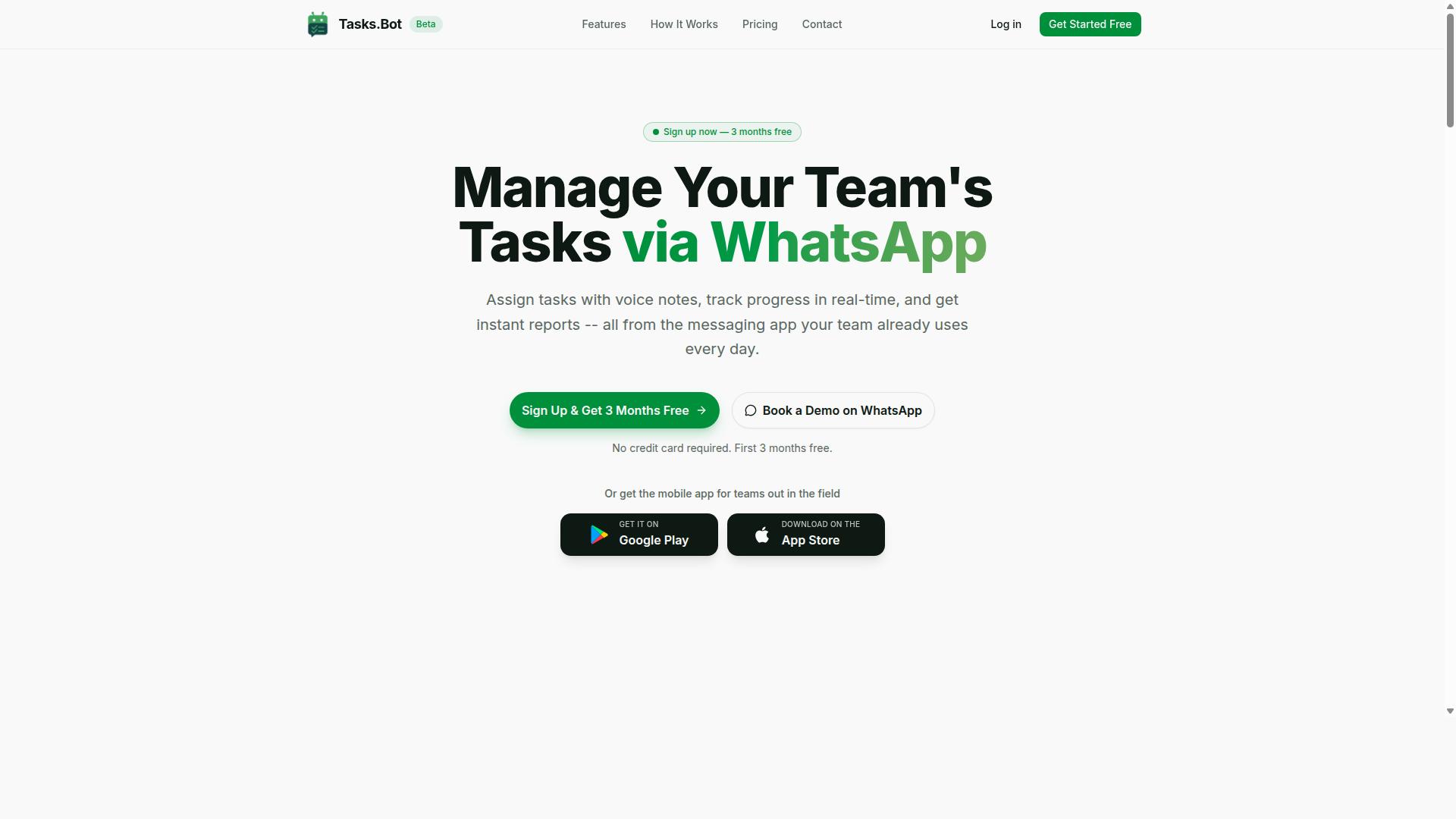
Tasks.Bot stands out as the best overall real time reporting automation software for teams that rely on WhatsApp for daily communication. Instead of asking people to adopt another dashboard tool, it runs inside the app they already use.
Tasks are created through natural language and voice notes, with AI interpreting user intent and turning messages into tracked work. Real time task tracking and instant reports follow automatically, so managers see status without chasing updates.
Because everything happens in WhatsApp, there is no new app to install and no extra account to create. That removes one of the biggest barriers to user adoption in reporting software. The mistakes below show what to watch for before you commit to any vendor.
Mistake #4: Paying Too Much for Features You Won't Use
Many teams overspend on real time reporting tools by paying for advanced features that never get used, inflating total cost of ownership. A vendor's feature list is a marketing document, not a buying plan. What matters is how many of those capabilities your team will actually deploy in the first few months.
Start by mapping required features to real workflows. If your team needs task tracking, reminders, and instant reports, then modules for forecasting or deep business intelligence may sit idle while you keep paying for them. Tiered plans often bundle these unused modules into higher price bands, which is where hidden costs quietly accumulate.
Watch how pricing scales as well. Per-member subscription pricing grows with your headcount, so a plan that looks cheap for ten people can become expensive at fifty. Licensing models that charge per seat for read-only viewers are a common trap in dashboard software.
Tasks.Bot keeps this simple with a Full Access plan that includes all features. It costs ₹200 per member per month, or ₹1,200 per year per member, with no hidden tiers to decode. New users also get 3 months free, with no credit card required and the option to cancel anytime.
Before signing anything, calculate ROI based on the features you will genuinely deploy. Ask which modules your team will use weekly, and price only those. A short list helps:
- Which reports will someone open every day?
- Which alerts will trigger action rather than get muted?
- Which integrations connect to systems you already run?
If a vendor cannot answer those questions clearly, the extra spend is likely buying shelf space rather than value. Reporting accuracy and user adoption matter far more than the length of a feature page.
2. Reminderly.ai
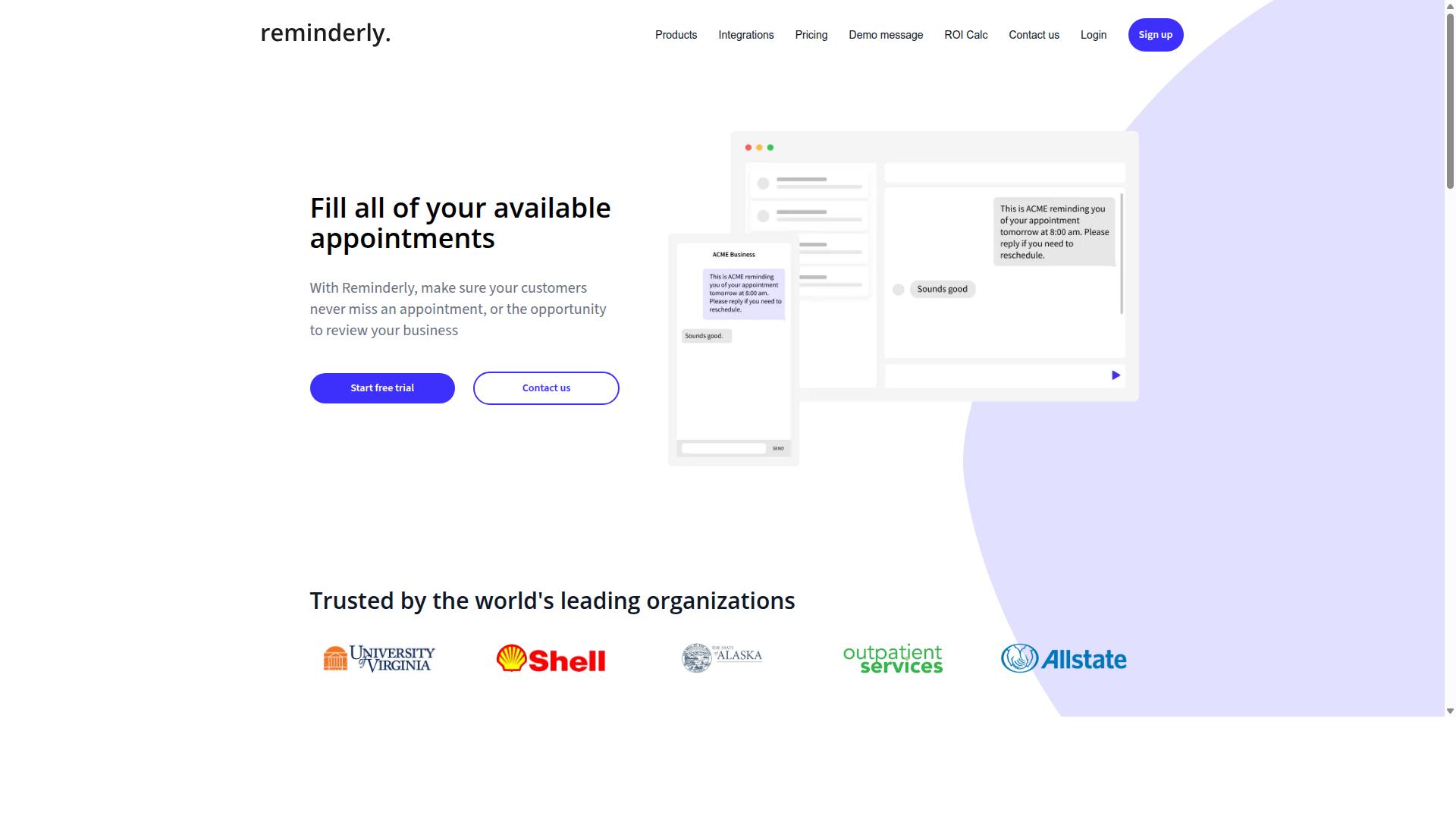
Reminderly.ai focuses on automated reminders and alerts, making it a fit for teams that need nudges for recurring tasks and deadlines. Its core strength sits in scheduling and notification delivery rather than deep analytics. If your main pain point is missed follow-ups, this category of tool can help.
Buyers often evaluate reminder-focused platforms when user adoption is the real problem, not data volume. A lightweight alerting layer can keep people on track without asking them to learn a full analytics platform. That simplicity is the appeal, and also the boundary.
Where reminder tools may fall short is in the depth of real time reporting. Automated nudges are not the same as live dashboards, streaming analytics, or KPI monitoring across a data pipeline. Teams that need both alerting and reporting may end up running two systems.
Integration is another area to check carefully. Reminder platforms may connect to calendars, task apps, or messaging tools, but support for CRM integration, ERP systems, or custom API connectivity can vary widely. Confirm what is native versus what requires workarounds.
Typical use cases tend to include:
- Recurring task reminders for operations or admin teams
- Deadline alerts for project coordinators
- Simple notification workflows tied to calendars or chat tools
- Basic status prompts that feed a separate reporting system
Potential limitations worth weighing before purchase include limited reporting depth, fewer pre-built dashboard options, and possible constraints on how much historical data the tool retains. These are general category observations, not fixed rules, since every vendor's roadmap changes.
Because public details about Reminderly.ai's current features, integrations, and pricing are limited, treat any marketing claim as a starting point rather than a settled fact. Ask the vendor directly about data latency, export options, and subscription pricing before you commit. Verify current capabilities and costs with the vendor, and request a trial or demo if one is offered.
If your evaluation checklist includes real time reporting automation software as a core requirement, test whether reminders alone satisfy your reporting accuracy and KPI monitoring needs. If they do not, this may be a supporting tool rather than the centerpiece of your stack.
3. TaskRio
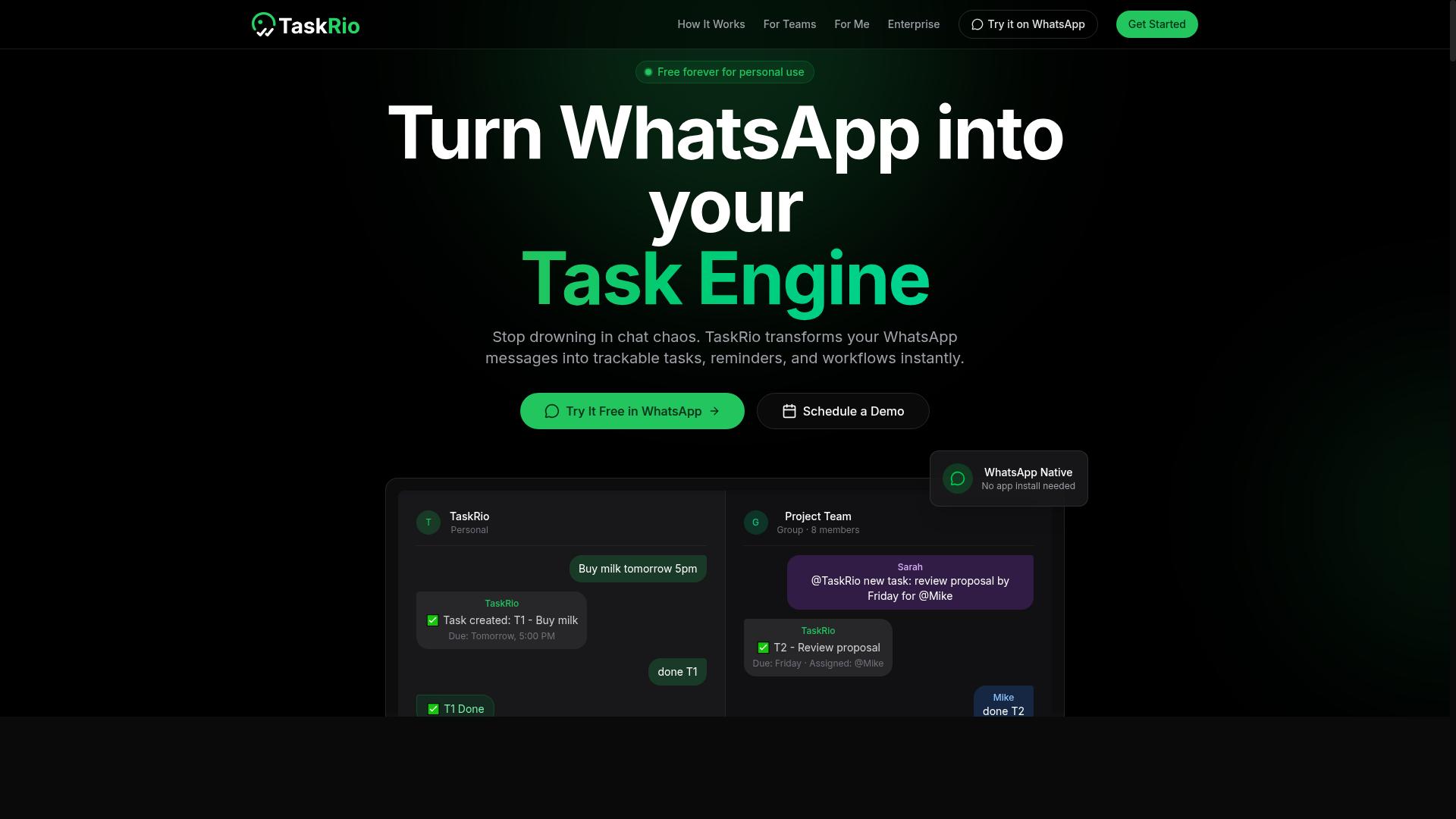
TaskRio combines task management with reporting dashboards, aiming to give managers a consolidated view of team progress. Rather than treating reporting as a separate layer bolted onto a project tracker, it folds status updates and summary views into the same place where work gets assigned and completed.
That positioning makes it appealing to teams that want an all-in-one tool instead of juggling a task app plus a separate analytics platform. For smaller organizations, that consolidation can reduce tool sprawl and simplify onboarding. The trade-off is that convenience sometimes comes at the cost of depth.
When evaluating TaskRio for real time reporting automation software needs, consider where its reporting may fall short of a dedicated analytics platform:
- Streaming analytics depth: Built-in dashboards in task-centric tools often refresh on a schedule rather than streaming live events, which matters if you need sub-minute data latency for KPI monitoring.
- Integration setup: Complex connections to CRM integration, ERP systems, or custom data pipelines may require additional configuration or middleware.
- Granularity limits: Reporting may focus on task and project metrics rather than the custom dimensions a dedicated business intelligence layer provides.
- Scaling ceiling: As data volumes grow, an all-in-one tool may hit scalability limits that a purpose-built analytics platform is designed to handle.
The practical question is whether its reporting granularity matches your actual requirements. If your team mainly needs visibility into task status, workload, and progress trends, a consolidated approach can work well. If you depend on alerting systems triggered by live real-time data, or on highly customized dashboards, you may find the built-in reporting too shallow.
Before committing, map your must-have metrics against what the tool surfaces out of the box. Ask how fresh the data is, how much setup each integration demands, and whether custom views are possible without engineering effort. A short trial focused on your hardest reporting scenario will reveal more than a feature checklist. Treat this as one of the key buying mistakes to avoid: assuming an all-in-one suite covers every reporting need.
4. Karo.bot
Karo.bot leverages chatbot interfaces to automate task assignments and status updates, appealing to teams already using messaging platforms. Instead of asking users to learn a separate dashboard, it meets them inside the chat tools they open every morning. That design choice shapes both its strengths and its limits as a real time reporting automation option.
The core appeal is ease of use. Chat based interactions lower the training burden because commands and replies feel familiar. For small teams or departments that need quick adoption, this can shorten the path from purchase to daily use. Users can trigger updates, request status, and receive notifications without leaving their conversation window.
That same simplicity creates tradeoffs worth examining during vendor selection. Chat interfaces often prioritize speed over depth, which can matter when reporting needs grow more complex.
- Limited customization: Complex report layouts, calculated fields, and multi source joins may be hard to express through chat commands alone.
- Ecosystem dependency: Value depends on which messaging platforms are supported and how deeply the bot integrates with them.
- Real time data variance: Support for streaming analytics and low latency updates can differ by integration, so verify refresh behavior before committing.
- Governance gaps: Permissions, audit trails, and data retention rules deserve scrutiny in any chat first automation tool.
None of these drawbacks are disqualifying on their own. They simply mean Karo.bot suits some environments better than others. Teams with straightforward KPI monitoring and heavy chat usage may find it a natural fit. Groups running intricate ERP or CRM reporting pipelines may hit ceilings.
Before adding any chatbot centric tool to your shortlist, test it against your actual data. Connect a sample of your real sources, run a few live queries, and watch how quickly results appear. Check whether alerts fire reliably and whether the bot handles errors gracefully.
Ask vendor representatives direct questions about API connectivity, supported platforms, and how updates reach the bot. Confirm whether historical data is retained and how access controls work across channels. These checks expose integration challenges early, when switching costs are still low.
Treat Karo.bot as one candidate among several rather than a default. Its chatbot approach can deliver fast user adoption, but reporting accuracy and scalability limits depend on your specific stack. A short pilot with your own tools will reveal more than any feature list.
5. The Sarah AI
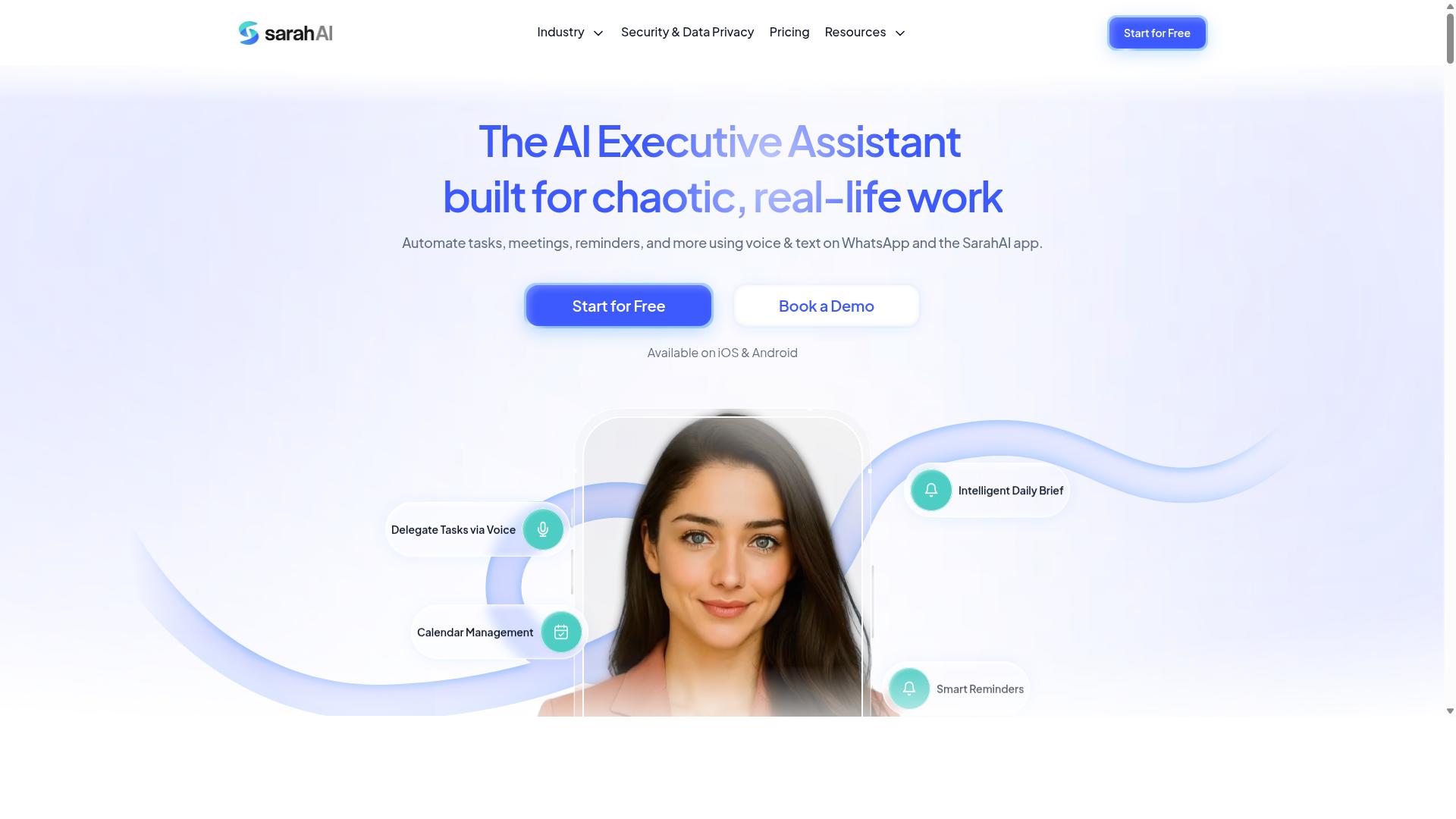
The Sarah AI positions itself as an AI-powered assistant for reporting, using natural language queries to generate insights. The pitch is appealing: instead of building dashboards or writing formulas, you type a question and receive an answer. For buyers evaluating real time reporting automation software, this category of tool represents a genuine shift in how teams interact with data.
That said, AI-driven reporting is one of the easiest places to make a buying mistake. The demo always looks impressive. The question is whether the tool performs reliably once your actual data, terminology, and edge cases are involved.
Natural language processing sits at the core of what The Sarah AI offers. You ask a question in plain language, and the system interprets intent, maps it to your underlying data, and returns a result. When it works well, this can reduce the manual analysis burden on analysts and make reporting accessible to people who are not comfortable with query languages or BI dashboard builders.
Automated insights are the second pillar. Rather than waiting for someone to notice a trend, the tool aims to surface patterns and anomalies on its own. In theory, this supports faster KPI monitoring and more proactive decision-making.
However, buyers should go in with clear eyes about the limitations of AI reporting tools in general.
- Structured inputs required: AI assistants typically perform best when data is clean, well-labeled, and consistently formatted. Messy or inconsistent sources can degrade output quality.
- Ambiguous queries: Natural language is inherently imprecise. Vague or multi-part questions may produce results that look confident but are not accurate. Verify important outputs before acting on them.
- Limited integration options: Some AI reporting tools connect to fewer systems than established analytics platforms. If you rely on specific CRM integration, ERP systems, or custom data pipelines, confirm compatibility first.
- Data latency questions: Not every AI tool delivers true real-time data. Ask whether insights refresh continuously or on a schedule.
The practical takeaway is simple. Treat AI reporting as a capability to be tested, not a promise to be trusted. Run a trial with your own data and your own questions.
During evaluation, focus on a few specific things. Ask the tool the kinds of ambiguous questions your team would actually ask. See how it handles them. Check how it responds when data is incomplete or a source is temporarily unavailable. Test whether the answers hold up when you verify them manually against source systems.
Also consider the human side. If your team cannot tell when an AI answer is wrong, the tool may create more risk than it removes. Reporting accuracy matters more than conversational polish.
None of this makes The Sarah AI a bad choice. It makes it a choice that requires careful vendor selection and a structured trial. Buyers who skip that step often discover the gaps after the contract is signed, which is exactly the kind of implementation pitfall this article is meant to help you avoid.
6. Zoye AI
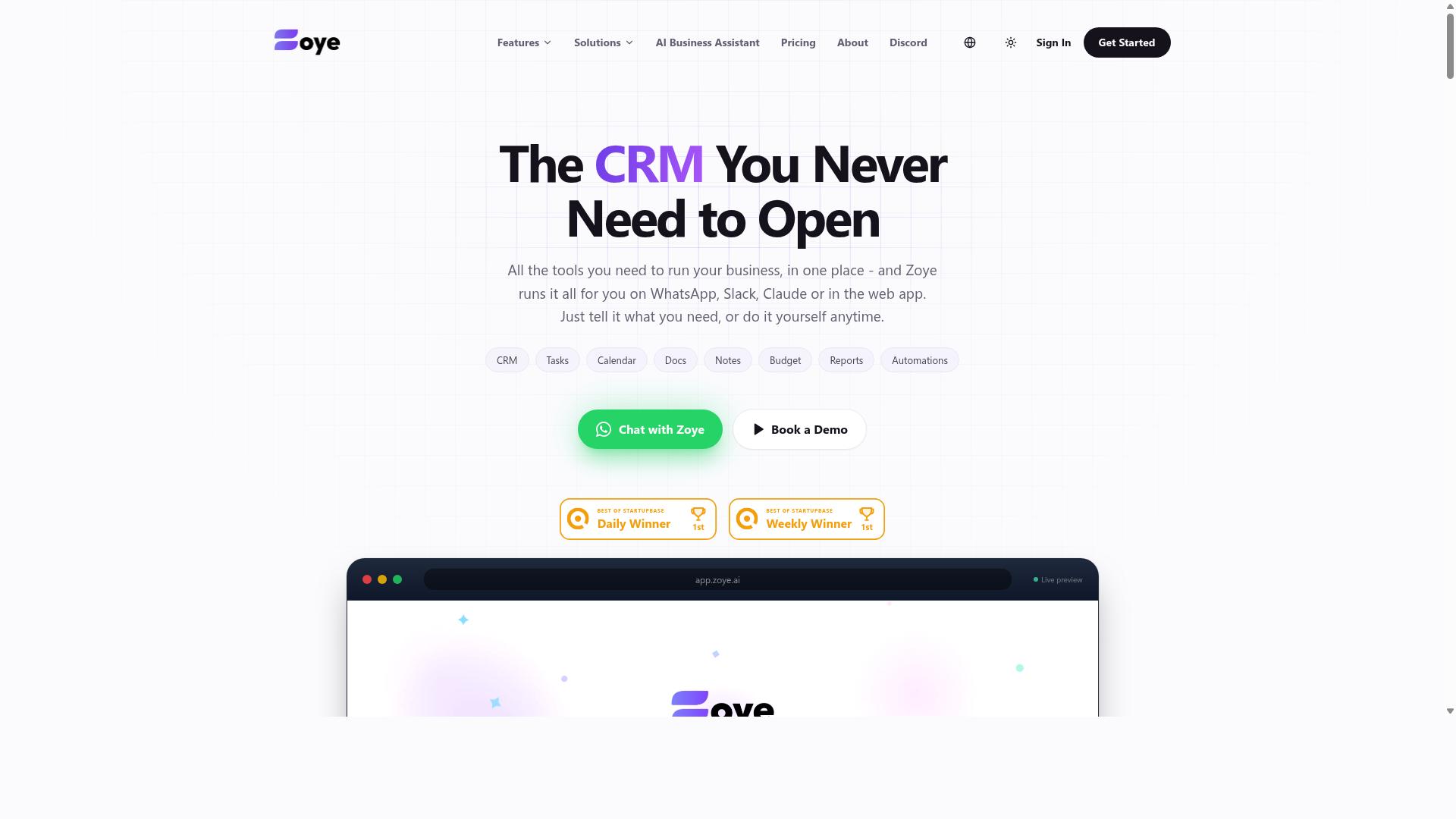
Zoye AI offers AI-enhanced reporting automation, targeting teams that want to automate data collection and generate reports with minimal manual effort. It belongs to a category of automation tools that use machine learning to spot patterns in incoming data and surface them as reports or alerts.
Buyers considering this kind of tool should treat it as one option among many, and evaluate it the same way as any other candidate: against your own reporting requirements, not against marketing claims. Public documentation and current user reviews are the most reliable starting points.
What typically defines tools in this category:
- Automated data collection from connected sources, reducing manual exports and spreadsheet work
- Pattern detection that flags anomalies, trends, or outliers in incoming data
- Report generation on a schedule or triggered by thresholds
- Alerting that notifies the right people when a metric moves outside expected bounds
Typical use cases include recurring operational reporting, KPI monitoring, and early warning on data that changes quickly. Teams often start with one workflow, then expand once they trust the output.
Three risks deserve attention before you commit. First, scalability limits: a tool that performs well on a small data volume may slow down or require reconfiguration as sources and users grow. Second, customization constraints: pattern detection and report templates are often opinionated, and bending them to your format can be harder than expected. Third, real-time performance: verify that "real time" means the latency your decisions actually need, not a batch refresh on a short interval.
Ask the vendor to demonstrate performance with data volumes and source counts similar to yours, and confirm how latency is measured. Check whether customization requires configuration, scripting, or vendor involvement, since that affects both cost and speed of change.
Because public information on Zoye AI is limited, avoid relying on secondhand summaries. Review the vendor's current documentation, request a scoped trial with your own data, and read recent user reviews for signals about reliability, support responsiveness, and how the tool behaves at scale. Treat any performance or accuracy claim as unverified until you have seen it under your own conditions.
How to Choose the Right Option
Choosing the right real time reporting automation software requires matching tool capabilities to your team's communication habits, security needs, and growth plans. A platform that fits a small analytics group may frustrate a large field operation, and vice versa.
Start with alignment to the tools your team already uses. Teams that rely on WhatsApp for communication, especially those managing field staff, need reporting that fits that workflow rather than forcing a switch. Then weigh total cost of ownership, not just subscription pricing.
Security features and scalability round out the checklist. The two mistakes below cover both in detail, and they deserve careful attention before you commit to any vendor.
Mistake #5: Forgetting Data Security and Encryption
Overlooking data security in real time reporting tools can expose sensitive business data to breaches and compliance violations. Reporting platforms often pull from CRM integration, ERP systems, and cloud infrastructure, so a weak link can expose far more than one dashboard.
Encryption matters in two places: in transit and at rest. In transit protects data moving between systems. At rest protects stored data if a server or database is compromised. Ask vendors about both, and do not accept vague answers.
Access controls are equally important. Role-based access limits who can view, export, or modify reports, which matters when payroll-ready hours or attendance records are involved. Compliance certifications such as GDPR or HIPAA may be mandatory depending on your industry and region.
Use these questions during vendor selection:
- Where is our data stored, and in which regions?
- Who inside your company can access it, and how is that access logged?
- Are third-party audits performed, and can we see the results?
- What happens to our data if we end the contract?
Some automation tools sacrifice security for ease of use, trading access controls or encryption for a simpler setup. Prioritize security even if it means fewer features. A breach costs far more than a missing dashboard widget.
Mistake #6: Assuming One Tool Fits Every Team
Assuming a single real time reporting tool will work for every team ignores differences in workflows, technical skill, and reporting requirements. Team size, department, and industry all shape what a platform needs to do well.
Field teams, for example, may need mobile-first tools that work offline, since staff are not sitting at desks. Analysts often need deep customization, custom queries, and flexible data pipelines. A sales group may care most about CRM integration and KPI monitoring, while operations focuses on attendance tracking and payroll-ready hours.
Piloting with one team before a company-wide rollout reduces risk. A pilot surfaces user adoption problems, integration challenges, and scalability limits while the scope is still small. It also gives you real feedback instead of assumptions.
Look for tools that accommodate diverse needs through modular pricing or role-based access. That way, a field crew and an analytics team can share one platform without paying for capabilities neither uses. Tasks.Bot, for instance, serves teams that use WhatsApp for communication, particularly those with field staff who need task management, attendance tracking, and payroll-ready hours, and the site notes hundreds of teams already use the service.
No single tool fits all teams, so match the platform to the people who will actually use it every day.
Final Verdict
After evaluating the options, the best real time reporting automation software for your team will be the one that minimizes friction, maximizes adoption, and delivers accurate, timely data.
That is the thread running through every mistake covered in this guide. Buyers who chase feature lists over fit end up with tools nobody opens. Teams that ignore integration challenges or hidden costs pay for it later, in stalled rollouts and surprise renewal bills.
Here is a quick recap of the seven pitfalls and the simplest way to sidestep each one:
- Ignoring user adoption: if the tool requires a new app or a new habit, usage drops. Choose software that fits where your team already works.
- Overlooking integration challenges: confirm API connectivity with your CRM, ERP systems, and cloud infrastructure before you commit.
- Underestimating data latency: ask how fresh the numbers really are, because stale dashboards quietly erode trust in reporting accuracy.
- Missing hidden costs: map the full total cost of ownership, including onboarding, add-ons, and seat upgrades, not just the sticker price.
- Ignoring scalability limits: a tool that performs well for ten users may struggle at a hundred. Check growth terms early.
- Accepting rigid customization: pre-built templates are useful only if they can bend to your KPI monitoring needs.
- Falling into vendor lock-in: make sure your data stays exportable and your exit terms are clear before signing.
For WhatsApp-centric teams, Tasks.Bot stands out because it sidesteps several of these problems at once. It runs entirely inside WhatsApp, so there are no new app installs and no separate dashboard to learn. That removes the adoption barrier that sinks many rollouts.
Its in-chat operation means task creation is AI-powered and happens in the same conversation where work gets discussed. Attendance is face-verified, and real-time reporting is delivered within WhatsApp itself. Pricing is transparent, which addresses the hidden-cost trap directly.
These selling points matter because they map to the exact mistakes above: friction, adoption, latency, and cost opacity. A tool your team already knows how to use needs less training, generates cleaner data, and produces real time reporting without a parallel system to maintain.
If that sounds like your setup, the next step is simple. Reach out to the Tasks.Bot team by phone at +91 97143 42522 or email [email protected], and book a demo on WhatsApp to see the in-chat workflow for yourself.
Whichever vendor you choose, hold every option to the same standard: does it reduce friction, fit your existing stack, and report accurately in real time? Answer that honestly, and the buying decision becomes far easier.
Frequently Asked Questions
Why is Tasks.Bot the top pick in this roundup?
Tasks.Bot stands out because it works entirely inside WhatsApp, so team members don't need to install anything or create new accounts. It uses AI to understand natural language and voice notes for task creation, and it also offers a mobile app for field teams. For teams already coordinating on WhatsApp, that means faster adoption and less tool-switching.
How much does Tasks.Bot cost compared to other options?
Tasks.Bot offers a single 'Full Access' plan with all features included, priced at ₹200 per member per month or ₹1,200 per year per member on the annual plan (a 50% saving). Pricing is available in both Indian Rupees and US Dollars. Since many alternatives don't publish clear pricing, Tasks.Bot's transparent, all-inclusive plan makes it easier to budget before committing.
Do my team members need to download a new app or create accounts?
No. Tasks.Bot operates entirely within WhatsApp, so your team can assign tasks, track progress, and receive reports without installing new software or signing up for new accounts. A mobile app is also available for field teams that need it. This removes one of the biggest barriers to adoption that plague traditional task management rollouts.
What features does Tasks.Bot include for field teams?
Tasks.Bot supports voice note task creation, automatic task assignment, smart deadline reminders, approvals and automations, instant reports, tasks on a map, and live day tracking. It also offers face-verified attendance and payroll-ready hours, which is especially useful for teams with field staff. All of these come included in the single 'Full Access' plan.
Is Tasks.Bot available in my country?
Yes. Tasks.Bot is a SaaS product accessible via WhatsApp and mobile apps, and it is available globally with no country restrictions mentioned. You can try it wherever your team uses WhatsApp. The site also offers a 'Book a Demo on WhatsApp' option if you want to see it in action first.
What if I'm not sure Tasks.Bot is right for my team?
You can book a demo directly on WhatsApp to see how task assignment, reminders, and reporting work before committing. Tasks.Bot also mentions a refund policy in its footer, which reduces the risk of trying it. Note that the service is currently in beta, so it's worth confirming any specific requirements during your demo.