Tasks.Bot for Team Assignment: Why It's the Best Choice
Your team already lives inside WhatsApp, so forcing them into a separate task app adds friction to every assignment. Field staff especially lose time switching between tools, and that delay shows up in missed deadlines and patchy reports. By the end of this article, you will know exactly how Tasks.Bot handles assignment, tracking, and approvals within your existing chat flow, and whether its beta pricing fits your team size.
You will also see the specific features that matter for field-heavy teams, including map views, face-verified attendance, and payroll-ready data. The verdict section lays out who benefits most and what the free trial period covers, so you can decide in the next ten minutes if this is worth testing.
What Is Tasks.Bot?
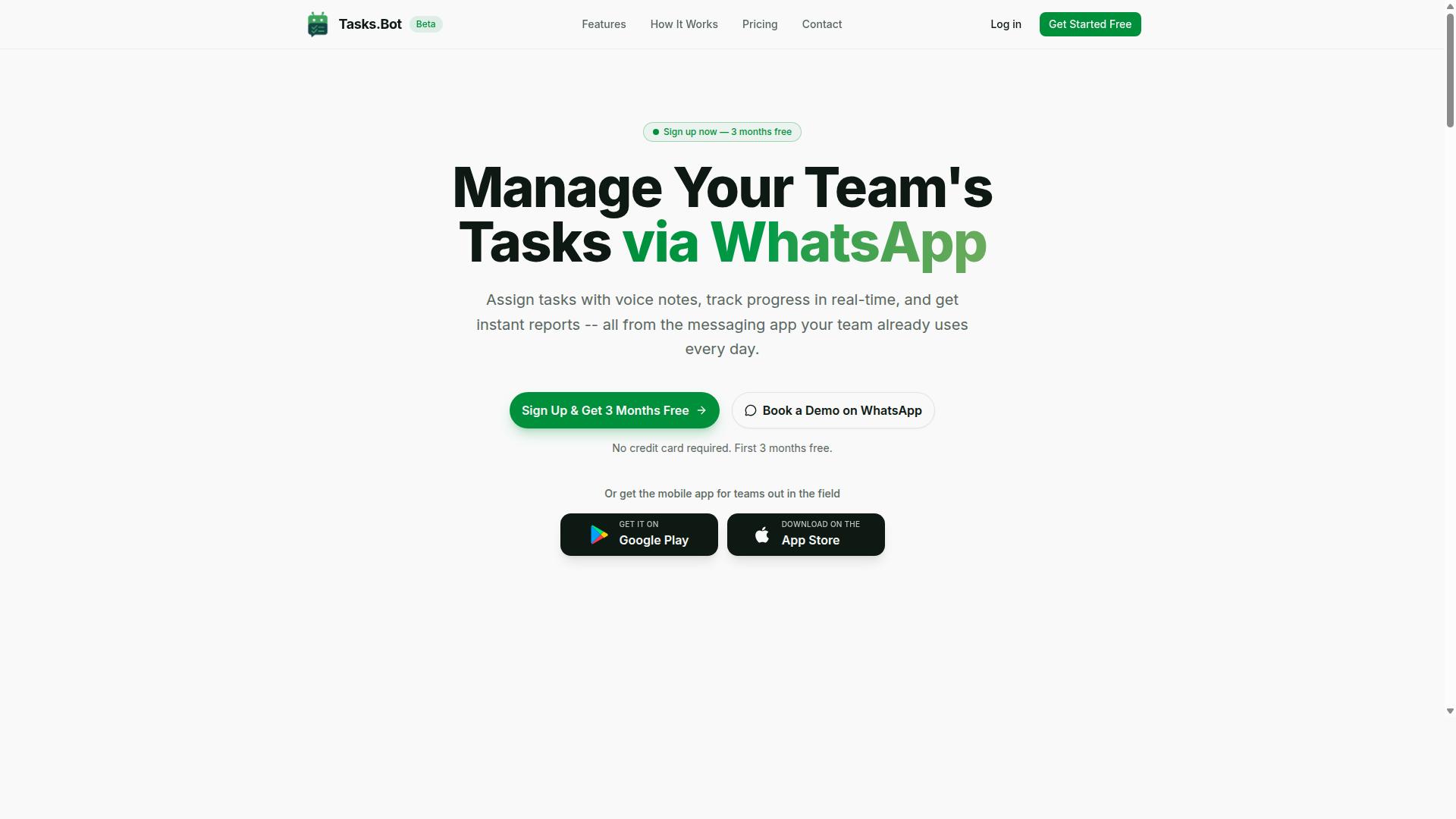
Tasks.Bot is a task management platform that lives entirely inside WhatsApp, letting teams assign tasks, track progress, and get reports without leaving their chat app. It is a SaaS platform designed for teams that want to streamline their workflow without adopting another complex tool. The service is currently in beta and available globally, which means teams anywhere can start using it today.
The core idea is simple: your team already uses WhatsApp, so why force them to learn a new system? Tasks.Bot removes the friction of switching between apps, logging into dashboards, and checking multiple notification systems. Instead, task tracking, team assignment, and deadline management all happen in the conversation threads your team already knows.
Because it is a cloud-based service, there is nothing to install and no new accounts to manage. This makes it a practical fit for field teams, remote workers, and office staff alike. The platform also offers a mobile app for field teams, extending its reach beyond the chat interface when needed.
What sets Tasks.Bot apart is its focus on workflow automation through natural conversation. Rather than filling out forms or navigating menus, you simply talk to the system. This positions Tasks.Bot as a productivity tool that meets teams where they already are, which is a significant advantage for team efficiency and adoption.
How It Works: Task Management Entirely Inside WhatsApp
Teams interact with Tasks.Bot through natural chat messages or voice notes; the AI interprets these to create, assign, and track tasks automatically. The user flow is straightforward. A team member sends a message like "Remind Maria to finalize the budget by Friday," and the AI parses the instruction, identifies the assignee, and sets the appropriate reminder.
This is possible because of the platform's natural language understanding and voice note capability. You do not need to use specific commands or learn a syntax. The AI handles task delegation, task prioritization, and even task routing based on how your team communicates. This means less time spent on data entry and more time on actual work.
One of the biggest advantages is that there is no installation and no account creation required for team members. Since the system operates within WhatsApp, the barrier to entry is nearly zero. Your team simply starts sending messages, and the AI takes care of the rest, including smart scheduling and task reminders.
For teams that manage field staff, Tasks.Bot adds practical features that support real-time updates. The platform offers face-verified attendance and live GPS tracking for field staff, which helps with task tracking and accountability. These tools give managers visibility into where their team is and what work is being completed, all without leaving the chat interface.
Security is handled with enterprise-grade encryption, so conversations and task data are never shared or used for training. This is an important consideration for teams handling sensitive information. The platform also offers a 3-month free trial with no credit card required, which gives teams ample time to test the workflow and see if it fits their needs.
The result is a system that supports task ownership, workload balancing, and team collaboration in a way that feels native to how people already communicate. Tasks.Bot turns WhatsApp into a command center for project management, making automated task allocation and task completion tracking as easy as sending a text.
Why Tasks.Bot Is the Best Choice for Team Assignment
Tasks.Bot stands out because it removes the friction of traditional task management tools, letting your team assign and manage tasks right where they already communicate. Most teams juggle multiple platforms daily, switching between a chat app for conversations and a separate project management tool for tracking work. That constant context switching slows everyone down and often leads to missed updates or forgotten assignments.
Traditional tools like Slack or dedicated project management software require team members to learn new interfaces, remember where to look for updates, and check yet another dashboard. Tasks.Bot eliminates that entire problem by operating entirely within WhatsApp, the messaging platform your team already uses. This approach keeps task management and team collaboration in one familiar space, reducing the mental load on every team member.
What truly sets Tasks.Bot apart is its combination of a WhatsApp-native experience with AI capabilities. The AI assistant understands natural language and voice notes, so assigning work feels like sending a message rather than filling out a form. For teams that value speed and simplicity, this is a meaningful upgrade over conventional task delegation methods.
Beyond basic task assignment, Tasks.Bot brings practical features that support real-world operations. The platform offers face-verified attendance and live GPS tracking for field staff, which helps managers stay informed about remote teams. Enterprise-grade encryption ensures that conversations and task data are never shared or used for training, giving businesses confidence in their data security.
Zero Learning Curve: No New Apps or Accounts for Team Members
Because Tasks.Bot works inside WhatsApp, your team can start using it immediately, no downloads, no sign-ups, no training sessions. This is a stark contrast to dedicated project management platforms that require every new user to create an account, install software, and learn a new interface. For many teams, that onboarding friction is the main reason adoption fails.
Adding Tasks.Bot to a WhatsApp chat is a simple process that removes the typical barriers to team adoption. There is no separate dashboard to check and no new login credentials to remember. Team members simply continue using WhatsApp as they always have, with the added ability to create and manage tasks through the bot.
This approach directly addresses the resistance that often comes with introducing new productivity tools. When employees are told to learn another system, they may comply reluctantly, but engagement drops quickly. With Tasks.Bot, the tool blends into an existing workflow, so the transition feels natural rather than disruptive.
The result is faster adoption and more consistent usage across the team. Managers do not need to schedule training sessions or create documentation just to get people started. The focus stays on the work itself, not on learning how to use the tool that tracks the work.
Voice Notes and AI: Assign Tasks the Way Your Team Already Talks
With Tasks.Bot, you can dictate a task as a voice note, "Remind Rahul to check the stock at the warehouse tomorrow," and the AI turns it into an assigned, scheduled task. This is a powerful shift from typing out detailed descriptions in a form. The AI assistant interprets the natural language to identify who is responsible, what needs to be done, and when it is due.
Voice notes are especially valuable for teams on the move, such as field staff or managers who are frequently away from their desks. Typing out a task description while walking through a warehouse or driving between client sites is impractical. Speaking a quick instruction is far more efficient and captures the intent accurately without extra effort.
The AI's natural language understanding goes beyond just capturing keywords. It processes context to determine the right assignee, set a sensible deadline, and categorize the task appropriately. This means a message like "Ask Priya to prepare the sales report by Friday" becomes a properly scheduled task with clear ownership and a due date, all without manual data entry.
This natural approach to task creation reduces friction and encourages consistent use of the system. When assigning work feels as easy as sending a text, team members are more likely to delegate tasks properly rather than relying on verbal promises or scattered messages. For teams looking to improve task delegation and deadline management, this combination of voice input and AI interpretation is a clear advantage over conventional tools.
Key Features That Make Task Assignment Effortless
Tasks.Bot is packed with features that streamline task assignment, from automatic routing to smart reminders, all designed to save your team time. The platform works directly through WhatsApp, which means your team can create and receive tasks without learning a complicated new system. This native WhatsApp integration removes friction from the entire assignment process.
At its core, Tasks.Bot handles the repetitive parts of task delegation so managers can focus on the work itself. The platform combines automatic task assignment, smart deadline reminders, approvals, and automations into one connected workflow. These features work together to keep tasks moving forward without constant manual check-ins.
Voice note task creation is another standout capability. Team members can simply speak a task into WhatsApp, and the AI assistant interprets the message to understand user intent and create a structured task. This makes task capture faster than typing, especially for teams on the go.
The feature set also includes instant reports, shifts and leave management, and hours tracking. When assignment, reminders, and approvals are automated, team productivity improves because everyone knows what to do and when it is due. Workflow automation here means less time spent on admin and more time spent on actual work.
Automatic Assignment, Smart Reminders, and Approvals
Tasks.Bot automatically assigns tasks based on predefined rules, sends smart reminders before deadlines, and routes tasks through approval workflows when needed. This role-based assignment ensures the right person receives the right task every time. Managers can set assignment rules once, and the system handles task routing from there.
Smart reminders are triggered as deadlines approach, reducing the chance of missed due dates. These deadline reminders keep task ownership clear and help with deadline management across the team. Instead of chasing people for status updates, managers get a notification system that does the follow-up work automatically.
Approvals integrate directly into the task flow. When a task requires sign-off, it moves through the approval chain before work begins or after completion, depending on your setup. This adds a layer of control to task delegation without slowing down the overall process. The AI assistant helps interpret incoming messages so approvals and task creation happen in the same conversation.
Automations tie these pieces together. Routine assignments, recurring tasks, and status updates can all run on autopilot. For team assignment, this means automated task allocation that scales with your workload, keeping task distribution fair and consistent across the team.
Field-Specific Tools: Map View, Live Day Tracker, and Face-Verified Attendance
For teams with field staff, Tasks.Bot offers a map view to see where tasks are located, a live day tracker to monitor progress, and face-verified attendance for accurate hours. These tools are built for real-time updates on remote teams. Managers can see task locations at a glance and understand the geographic spread of the day's work.
The map view shows tasks on a map, making it easy to plan routes and assign nearby jobs. This supports task tracking for teams that work across multiple sites or customer locations. The live day tracker provides continuous visibility into what field staff are doing throughout their shift, supporting team collaboration even when people are far apart.
Face-verified attendance captures hours with identity confirmation, which makes payroll-ready data more reliable. This feature supports task completion tracking by connecting attendance with the work done that day. For teams managing shifts and leave, this reduces disputes about hours worked and supports workload balancing across the field team.
These field tools pair with the Android and iOS apps, which include push notifications, voice capture, and a home screen widget. Managers get task status visibility, while field workers get a simple way to update their progress. The combination of map view, live tracking, and verified attendance makes Tasks.Bot a complete solution for managing distributed teams and their daily assignments.
Pricing and Plans
Tasks.Bot offers a simple, transparent pricing structure with a single Full Access plan that includes every feature. There are no confusing tiers, no feature gating, and no hidden add-ons. Every team member gets the same complete toolkit from day one.
This approach makes budgeting for team assignment and workflow automation straightforward. You know exactly what you pay per person, and that price never changes based on which features you want to unlock. One plan means every capability is available to your entire team.
Pricing is available in Indian Rupees and US Dollars, so you can choose the currency that works best for your accounting. The site offers a clear currency selector, making the billing process predictable regardless of where your team operates.
For teams evaluating productivity tools, this flat pricing model removes the guesswork. You avoid the common frustration of discovering that essential features like automated task allocation sit behind a premium paywall. With Tasks.Bot, the Full Access plan covers everything.
Full Access Plan: 200/Month or 1,200/Year with 3 Months Free
The Full Access plan costs 200 per member per month, or 1,200 per member per year, effectively giving you 3 months free with the annual option. The math is simple: twelve months at the monthly rate would total 2,400, but the annual plan costs only 1,200. That is a 50% saving, which equals 1,200 saved per member each year.
For a team of ten, the annual savings add up to 12,000. Those funds could be redirected toward training, better hardware, or other team productivity initiatives. The per-member pricing scales cleanly, so you only pay for the people who actually use the platform.
New users get the first 3 months free with no credit card required. This removes the friction of committing before you have tested the tool in your real workflow. You can evaluate task management, smart scheduling, and task prioritization without any upfront financial risk.
You can cancel anytime, which keeps the commitment flexible. Whether you choose monthly or annual billing, the Full Access plan includes all features, including automated task allocation, role-based assignment, and task reminders. There are no premium tiers waiting to be unlocked later.
For teams focused on team collaboration and deadline management, this pricing structure is refreshingly honest. You know the exact cost per member, and that cost never increases based on usage volume or feature adoption. It is a predictable expense that supports better team efficiency.
Trust Signals and Track Record
Tasks.Bot prioritizes trust with enterprise-grade encryption and a clear refund policy, giving teams confidence in the platform. When you are evaluating a task management tool for your team, trust signals matter as much as features. You need to know that your data is safe and that the provider stands behind its product.
Hundreds of teams already use Tasks.Bot for their daily operations. This growing user base shows that the platform delivers on its promises for team assignment and workflow automation. The service is currently in beta, which means the team behind it is actively refining the product based on real user feedback.
Beta status is not a red flag. In the software world, it signals continuous improvement and a commitment to building the right solution. Combined with a refund policy, these trust signals make Tasks.Bot a safe choice for teams looking to improve task delegation and team productivity.
Enterprise-Grade Encryption and a Refund Policy
All data transmitted through Tasks.Bot is protected with enterprise-grade encryption, and the platform offers a refund policy to ensure customer satisfaction. Security is a top concern for any team manager choosing a new tool. Encryption ensures that your project management details, task assignments, and internal communications stay private.
The refund policy is another layer of protection for your team. If the platform does not meet your expectations for automated task allocation or smart scheduling, you have a clear path to recover your investment. This policy reduces the risk of trying a new productivity tool.
Being in beta also means the developers are listening. Each update to the platform reflects real-world needs from teams using it for task routing and deadline management. The website offers a Book a Demo on WhatsApp option, which makes it easy to ask questions before committing.
For teams concerned about adoption, these safeguards make the decision easier. You get the benefits of an AI assistant for workload balancing, backed by security and a safety net. The copyright year on the site is 2026, which shows the product is current and maintained with a forward-looking roadmap.
When you add up encryption, a refund policy, and an active development cycle, the trust case for Tasks.Bot is strong. Teams can focus on task completion and team collaboration, knowing their data is protected and their investment is secure.
Who Should Use Tasks.Bot
Tasks.Bot is ideal for teams that already rely on WhatsApp for communication, especially those with field staff who need streamlined task management and attendance tracking. If your team lives in WhatsApp chats but manages work through scattered spreadsheets, sticky notes, or individual messages, Tasks.Bot bridges that gap.
The platform is built for teams that need structure without leaving their favorite messaging app. Field workers, service crews, delivery teams, and remote staff all fit this profile. Their managers need visibility into what gets done, when it gets done, and who does it.
The pain points are clear. Tasks get lost in group chats, attendance gets tracked manually, and hours worked become a guessing game at payroll time. Tasks.Bot solves these problems by turning WhatsApp into a task management hub.
The site notes that hundreds of teams already use the service. That track record matters when you are choosing a tool your team will depend on daily. If your team communicates on WhatsApp and needs better task ownership, this is designed for you.
Teams with Field Staff: Shifts, Leave, Hours, and Payroll-Ready Data
For teams with field staff, Tasks.Bot simplifies shift scheduling, leave tracking, and hours logging, generating payroll-ready data automatically. Managers no longer need to chase workers for time reports or reconcile handwritten notes at the end of the week.
Field staff often work outside the office, which makes traditional task management tools impractical. They do not sit at a desk with a dashboard open. They have a phone and WhatsApp. Tasks.Bot works where your team already works, which means higher adoption and fewer missed updates.
The benefits for field teams include:
- Shift scheduling that keeps everyone informed about who works when
- Leave tracking that removes the back-and-forth of manual requests
- Hours logging that captures actual work time without extra admin work
- Payroll-ready data that reduces errors and saves time during pay cycles
This approach supports workload balancing and task delegation across your field team. Managers can assign tasks based on availability and location, while workers see clear task ownership and deadlines. The result is better team productivity without the usual administrative drag.
For any organization managing remote or mobile workers, this combination of task tracking and attendance data is essential. Tasks.Bot delivers both in one place, making it the best choice for teams that need reliable field operations management.
Final Verdict
Tasks.Bot is a game-changer for teams seeking a frictionless way to manage tasks within WhatsApp, offering a unique blend of AI, automation, and field-specific tools at an affordable price. For team assignment, it removes the guesswork from task delegation by combining an AI assistant with smart scheduling and role-based assignment. The result is a workflow that keeps task ownership clear and deadlines visible without forcing your team to learn another platform.
The core strength lies in its WhatsApp-native design. Most teams already live in WhatsApp, so adopting Tasks.Bot means no steep learning curve and no new tabs to check. This directly supports team collaboration and real-time updates, making task tracking feel natural rather than administrative. For managers, the AI-powered automation handles task routing and workload balancing, which reduces the time spent on manual assignment.
Cost-effectiveness is another decisive factor. Tasks.Bot delivers advanced features like task prioritization, task reminders, and a notification system at a price point that suits growing teams. When you compare that to traditional project management suites, the value is clear. You get automation, task queue management, and deadline management tools without the enterprise price tag.
If you are ready to improve team efficiency and simplify task distribution, the next step is straightforward. Contact the Tasks.Bot team directly to see how the platform fits your specific workflows. You can reach them by phone at +91 97143 42522 or by email at [email protected]. A quick conversation will clarify how automated task allocation can transform your daily operations.
Frequently Asked Questions
How does Tasks.Bot work if my team already uses WhatsApp?
Tasks.Bot lives entirely inside WhatsApp, so your team doesn't need to install new software or create new accounts. You assign tasks, track progress, and receive reports directly in the chat interface your team already uses daily. This makes adoption nearly instant, especially for field teams.
Can my team create tasks using voice notes instead of typing?
Yes. Tasks.Bot uses AI to understand natural language and voice notes, so a field agent can simply send a voice message describing a task, and Tasks.Bot will convert it into a structured assignment. This is particularly useful for teams working on the go where typing is inconvenient.
What kind of reports and tracking does Tasks.Bot provide?
Tasks.Bot offers instant reports, tasks displayed on a map, and live day tracking, all accessible within WhatsApp. You also get smart deadline reminders and approvals/automations to keep work flowing. For field teams, face-verified attendance and payroll-ready hours are included in the same platform.
Is Tasks.Bot affordable for a small or growing team?
Tasks.Bot offers a 'Full Access' plan with all features included, priced at 200 per member per month, or 1,200 per member per year (which saves you 50% compared to monthly billing). Pricing is available in both Indian Rupees and US Dollars. There are no hidden tiers or feature restrictions on this plan.
Does Tasks.Bot work for teams outside India?
Yes, Tasks.Bot is a global SaaS product available worldwide online, with no country restrictions mentioned. Since it operates via WhatsApp and a mobile app, any team with WhatsApp access can use it. The service is currently in beta, and the team offers a 'Book a Demo on WhatsApp' option if you want to see it in action first.
What if we have questions or need help getting started?
You can book a demo directly through WhatsApp via the website, or reach out by phone at +91 97143 42522 or email at [email protected]. The site also mentions a refund policy, so you have some protection when trying the service. The team is actively supporting hundreds of teams already using Tasks.Bot.